Index of /gpack2/GUZUV55
Name Last modified Size Description
Parent Directory 18-Sep-2007 22:19 -
APPLES 29-Nov-1992 10:14 1k
ARROW 25-Nov-1992 11:40 1k
AX 25-Nov-1992 11:41 1k
B 25-Nov-1992 10:29 4k
BANBAN 25-Nov-1992 11:58 1k
BERRIES1 02-Dec-1992 12:10 1k
BERRIES2 02-Dec-1992 12:20 1k
BERRIES3 02-Dec-1992 12:21 1k
BERRIES4 02-Dec-1992 12:22 1k
BERRIES5 02-Dec-1992 12:23 1k
BERRIES6 02-Dec-1992 12:24 1k
BERRIES7 02-Dec-1992 12:25 1k
BGUIS 25-Nov-1992 11:56 1k
BIGKEY 03-Dec-1992 07:21 1k
BLACK 25-Nov-1992 11:40 1k
BLACKS 25-Nov-1992 11:43 1k
BLANK 25-Nov-1992 10:29 4k
BLOOD 25-Nov-1992 11:41 1k
BOOKLOC.DAT 10-Dec-1992 05:10 1k
BOTTLE1 02-Dec-1992 12:19 1k
BOW 25-Nov-1992 11:42 1k
BREAD 25-Nov-1992 11:59 1k
CARMOR 25-Nov-1992 11:58 1k
CHEESE 25-Nov-1992 11:59 1k
CRUDB 06-Dec-1992 02:54 1k
CTIK.DAT 19-Oct-1994 09:31 1k
CUP1 29-Nov-1992 13:24 1k
D10TILES 10-Dec-1992 03:03 39k
D11TILES 06-Dec-1992 08:44 39k
D1TILES 02-Dec-1992 12:02 39k
D2TILES 03-Dec-1992 04:53 39k
D3TILES 07-Dec-1992 08:33 39k
D4TILES 07-Dec-1992 08:45 39k
D5TILES 29-Nov-1992 22:22 39k
D6TILES 25-Nov-1992 08:45 39k
D7TILES 25-Nov-1992 08:53 39k
D8TILES 27-Nov-1992 05:16 39k
D9TILES 26-Jan-1993 21:22 39k
DATADESC 26-Jan-1993 22:14 95k
DATUSE.BAT 14-Oct-1994 15:34 1k
DIAMONDB 06-Dec-1992 02:36 1k
DIAMONDC 06-Dec-1992 02:34 1k
DISH1 29-Nov-1992 13:28 1k
DUNMAP1.DAT 02-Dec-1992 12:02 10k
DUNMAP10.DAT 10-Dec-1992 03:03 10k
DUNMAP11.DAT 06-Dec-1992 08:44 10k
DUNMAP2.DAT 03-Dec-1992 04:52 10k
DUNMAP3.DAT 07-Dec-1992 08:33 10k
DUNMAP4.DAT 07-Dec-1992 08:45 10k
DUNMAP5.DAT 29-Nov-1992 22:22 10k
DUNMAP6.DAT 25-Nov-1992 08:45 10k
DUNMAP7.DAT 25-Nov-1992 08:53 10k
DUNMAP8.DAT 27-Nov-1992 05:15 10k
DUNMAP9.DAT 26-Jan-1993 21:22 10k
DZ118.DAT 17-Dec-1993 19:02 1k
ENDPRINT.EXE 17-Dec-1993 20:19 63k
ESWORD 25-Nov-1992 11:42 1k
FAKEFRED 10-Dec-1992 07:03 4k
FILE_ID.DIZ 01-Sep-1995 12:26 1k
FISH 25-Nov-1992 11:59 1k
FOOD1 25-Nov-1992 11:41 1k
FOOD2 25-Nov-1992 11:42 1k
FOOD3 25-Nov-1992 11:42 1k
FORK 25-Nov-1992 11:56 1k
FOWL 25-Nov-1992 11:59 1k
GAME.EXE 20-Oct-1994 06:49 153k
GAME.PIF 18-Sep-1996 10:37 1k
GOSOMAR1 29-Nov-1992 21:56 1k
GRAPES 25-Nov-1992 11:58 1k
GRAPPLER 06-Dec-1992 02:39 1k
GUZU.BMP 28-Aug-1996 06:48 40k
GUZUV55.ZIP 18-Apr-1995 18:16 815k
HAMMER 25-Nov-1992 11:56 1k
HELM1 25-Nov-1992 11:57 1k
HELM2 25-Nov-1992 11:57 1k
HELM3 25-Nov-1992 11:57 1k
HELM4 25-Nov-1992 11:57 1k
HELM5 25-Nov-1992 11:58 1k
HOE 29-Nov-1992 13:21 1k
INSTALL/ 20-Apr-2005 11:44 -
INTROB 25-Nov-1992 10:42 4k
JELLY1 29-Nov-1992 22:00 1k
JUBRAN 28-Nov-1992 22:08 1k
KHOPESH 25-Nov-1992 11:56 1k
KNIFE 25-Nov-1992 11:57 1k
KSHIELD 25-Nov-1992 11:56 1k
LARMOR 25-Nov-1992 11:58 1k
LEOMUND.EXE 02-Jul-1993 17:38 69k
LORD 05-Jun-1993 21:01 63k
LUCERN 25-Nov-1992 11:58 1k
MARMOR1 25-Nov-1992 11:58 1k
MARMOR2 25-Nov-1992 11:58 1k
MREADY 25-Nov-1992 11:40 1k
MSHIELD1 25-Nov-1992 11:56 1k
MSHIELD2 25-Nov-1992 11:56 1k
MUSHROO1 29-Nov-1992 21:54 1k
MUTTON 25-Nov-1992 11:58 1k
NEEDLE 25-Nov-1992 11:58 1k
NGUYBS 17-Dec-1992 01:05 1k
NGUYBW 17-Dec-1992 01:05 1k
NGUYFS 17-Dec-1992 01:07 1k
NGUYFW 17-Dec-1992 01:07 1k
NGUYLS 17-Dec-1992 01:00 1k
NGUYLW 17-Dec-1992 01:03 1k
NGUYRS 17-Dec-1992 01:00 1k
NGUYRW 17-Dec-1992 01:03 1k
NOTE1 02-Dec-1992 07:00 1k
NOTE2 02-Dec-1992 07:03 1k
NUGGET 29-Nov-1992 09:08 1k
OATMEAL 25-Nov-1992 11:59 1k
OBJ.DAT 11-Dec-1992 04:50 2k
OBJFNAME 08-Dec-1992 09:07 20k
ORBGLOBE 08-Dec-1992 09:15 1k
PANTS 04-Dec-1992 09:14 1k
PARMOR 25-Nov-1992 11:58 1k
PER1 19-Jan-1993 14:42 4k
PER10 19-Jan-1993 15:13 3k
PER11 07-Dec-1992 07:07 2k
PER12 11-Dec-1992 01:02 2k
PER13 03-Jan-1993 09:59 6k
PER14 19-Jan-1993 15:13 1k
PER15 19-Jan-1993 15:13 1k
PER16 19-Jan-1993 15:13 1k
PER17 19-Jan-1993 15:13 1k
PER18 19-Jan-1993 15:14 1k
PER19 27-Nov-1992 01:28 15k
PER2 19-Jan-1993 14:43 2k
PER20 19-Jan-1993 15:15 7k
PER21 11-Dec-1992 03:55 2k
PER22 19-Jan-1993 15:15 1k
PER23 06-Dec-1992 13:04 16k
PER24 19-Jan-1993 15:16 8k
PER25 11-Dec-1992 01:12 2k
PER26 10-Dec-1992 12:10 2k
PER27 11-Dec-1992 03:53 3k
PER28 10-Dec-1992 14:30 6k
PER29 10-Dec-1992 22:42 2k
PER3 06-Dec-1992 13:01 16k
PER30 10-Dec-1992 23:10 2k
PER31 19-Jan-1993 15:16 1k
PER32 19-Jan-1993 15:16 1k
PER33 19-Jan-1993 15:16 1k
PER34 19-Jan-1993 15:16 1k
PER35 19-Jan-1993 15:16 1k
PER36 12-Dec-1992 07:45 2k
PER37 10-Dec-1992 13:42 2k
PER38 10-Dec-1992 14:38 3k
PER39 10-Dec-1992 22:53 2k
PER4 19-Jan-1993 14:45 6k
PER40 10-Dec-1992 23:12 2k
PER41 19-Jan-1993 15:17 1k
PER42 19-Jan-1993 15:17 1k
PER43 19-Jan-1993 15:17 1k
PER44 19-Jan-1993 15:17 1k
PER45 03-Dec-1992 00:16 1k
PER46 10-Dec-1992 12:18 2k
PER47 25-Dec-1992 22:07 3k
PER48 10-Dec-1992 14:44 2k
PER49 10-Dec-1992 22:57 2k
PER5 19-Jan-1993 14:52 11k
PER50 10-Dec-1992 23:15 2k
PER51 19-Jan-1993 15:17 1k
PER52 19-Jan-1993 15:17 1k
PER53 19-Jan-1993 15:17 1k
PER54 19-Jan-1993 15:17 1k
PER55 19-Jan-1993 15:17 1k
PER56 10-Dec-1992 12:26 3k
PER57 19-Jan-1993 15:18 2k
PER58 10-Dec-1992 14:56 2k
PER59 10-Dec-1992 23:00 2k
PER6 11-Dec-1992 00:56 1k
PER60 10-Dec-1992 23:19 1k
PER61 19-Jan-1993 15:18 1k
PER62 19-Jan-1993 15:18 1k
PER63 19-Jan-1993 15:19 1k
PER64 19-Jan-1993 15:19 1k
PER65 19-Jan-1993 15:19 1k
PER66 10-Dec-1992 12:32 3k
PER67 10-Dec-1992 14:01 3k
PER68 10-Dec-1992 15:01 2k
PER69 10-Dec-1992 23:03 1k
PER7 19-Jan-1993 15:11 1k
PER70 10-Dec-1992 23:24 1k
PER71 19-Jan-1993 15:19 1k
PER72 11-Dec-1992 00:37 1k
PER73 19-Jan-1993 15:19 1k
PER74 19-Jan-1993 15:19 1k
PER75 19-Jan-1993 15:19 1k
PER76 19-Jan-1993 15:23 4k
PER77 30-Nov-1992 08:56 2k
PER8 19-Jan-1993 15:11 1k
PER88 26-Jan-1993 21:46 3k
PER9 24-Nov-1992 14:15 6k
PERLE 19-Jan-1993 15:24 14k
PIKE1 25-Nov-1992 11:57 1k
PIXPER1 25-Nov-1992 10:29 4k
PIXPER10 01-Dec-1992 07:47 4k
PIXPER11 25-Nov-1992 10:30 4k
PIXPER12 25-Nov-1992 10:30 4k
PIXPER13 27-Nov-1992 06:24 4k
PIXPER14 10-Dec-1992 06:46 4k
PIXPER15 10-Dec-1992 06:47 4k
PIXPER16 10-Dec-1992 07:51 4k
PIXPER17 10-Dec-1992 07:52 4k
PIXPER18 10-Dec-1992 07:52 4k
PIXPER19 27-Nov-1992 01:42 4k
PIXPER2 25-Nov-1992 10:31 4k
PIXPER20 25-Nov-1992 10:31 4k
PIXPER21 25-Nov-1992 10:32 4k
PIXPER22 10-Dec-1992 07:53 4k
PIXPER23 27-Nov-1992 01:42 4k
PIXPER24 25-Nov-1992 10:32 4k
PIXPER25 10-Dec-1992 07:29 4k
PIXPER26 04-Dec-1992 11:19 4k
PIXPER27 04-Dec-1992 11:21 4k
PIXPER28 04-Dec-1992 11:22 4k
PIXPER29 04-Dec-1992 11:23 4k
PIXPER3 27-Nov-1992 01:41 4k
PIXPER30 04-Dec-1992 11:24 4k
PIXPER31 10-Dec-1992 07:20 4k
PIXPER32 10-Dec-1992 07:24 4k
PIXPER33 10-Dec-1992 07:32 4k
PIXPER34 10-Dec-1992 07:32 4k
PIXPER35 10-Dec-1992 07:32 4k
PIXPER36 04-Dec-1992 11:25 4k
PIXPER37 04-Dec-1992 11:26 4k
PIXPER38 04-Dec-1992 11:28 4k
PIXPER39 04-Dec-1992 11:29 4k
PIXPER4 01-Dec-1992 02:30 4k
PIXPER40 04-Dec-1992 11:30 4k
PIXPER41 10-Dec-1992 07:34 4k
PIXPER42 10-Dec-1992 07:34 4k
PIXPER43 10-Dec-1992 07:36 4k
PIXPER44 10-Dec-1992 07:39 4k
PIXPER45 25-Nov-1992 10:29 4k
PIXPER46 10-Dec-1992 06:52 4k
PIXPER47 10-Dec-1992 06:54 4k
PIXPER48 10-Dec-1992 06:54 4k
PIXPER49 10-Dec-1992 06:55 4k
PIXPER5 25-Nov-1992 10:30 4k
PIXPER50 10-Dec-1992 06:55 4k
PIXPER51 10-Dec-1992 07:00 4k
PIXPER52 10-Dec-1992 07:00 4k
PIXPER53 10-Dec-1992 07:01 4k
PIXPER54 10-Dec-1992 07:01 4k
PIXPER55 10-Dec-1992 07:04 4k
PIXPER56 10-Dec-1992 06:43 4k
PIXPER57 10-Dec-1992 07:05 4k
PIXPER58 10-Dec-1992 07:06 4k
PIXPER59 10-Dec-1992 07:06 4k
PIXPER6 10-Dec-1992 07:28 4k
PIXPER60 10-Dec-1992 07:07 4k
PIXPER61 10-Dec-1992 07:38 4k
PIXPER62 10-Dec-1992 07:41 4k
PIXPER63 10-Dec-1992 07:43 4k
PIXPER64 10-Dec-1992 07:47 4k
PIXPER65 10-Dec-1992 07:47 4k
PIXPER66 10-Dec-1992 07:08 4k
PIXPER67 10-Dec-1992 07:11 4k
PIXPER68 10-Dec-1992 07:12 4k
PIXPER69 10-Dec-1992 07:14 4k
PIXPER7 10-Dec-1992 07:48 4k
PIXPER70 10-Dec-1992 07:17 4k
PIXPER71 10-Dec-1992 07:40 4k
PIXPER72 10-Dec-1992 07:41 4k
PIXPER73 10-Dec-1992 07:43 4k
PIXPER74 10-Dec-1992 07:47 4k
PIXPER75 10-Dec-1992 07:47 4k
PIXPER76 25-Nov-1992 10:30 4k
PIXPER77 30-Nov-1992 08:48 4k
PIXPER8 10-Dec-1992 07:49 4k
PIXPER88 26-Jan-1993 21:34 4k
PIXPER9 25-Nov-1992 10:31 4k
PIXPERLE 25-Nov-1992 10:29 4k
POTBROWN 07-Dec-1992 09:09 1k
POTDKBL 07-Dec-1992 09:14 1k
POTEMPTY 07-Dec-1992 09:04 1k
POTGREEN 07-Dec-1992 09:15 1k
POTGREY 07-Dec-1992 09:12 1k
POTLTBL 07-Dec-1992 09:13 1k
POTPINK 07-Dec-1992 09:13 1k
POTPUR 07-Dec-1992 09:11 1k
POTRAIN 07-Dec-1992 09:07 1k
POTRED 07-Dec-1992 09:09 1k
POTWHITE 07-Dec-1992 09:12 1k
POTYELL 07-Dec-1992 09:10 1k
PREVIEW.EXE 11-Feb-1995 15:04 50k
PSPLAT 25-Nov-1992 11:41 1k
PWATCH 01-Dec-1992 09:22 1k
QUILL 25-Nov-1992 11:56 1k
RAKE 29-Nov-1992 13:19 1k
RANSEUR 25-Nov-1992 11:57 1k
READ1 10-Dec-1992 05:23 2k
READ10 10-Dec-1992 06:38 1k
READ11 10-Dec-1992 06:39 1k
READ12 03-Jan-1993 07:03 1k
READ13 03-Jan-1993 07:11 1k
READ14 03-Jan-1993 06:51 1k
READ15 11-Dec-1992 04:26 1k
READ16 03-Jan-1993 09:35 3k
READ17 03-Jan-1993 09:19 1k
READ18 19-Jan-1993 21:07 1k
READ19 03-Jan-1993 09:05 1k
READ2 10-Dec-1992 05:25 1k
READ20 11-Dec-1992 04:12 1k
READ21 11-Dec-1992 04:26 1k
READ22 03-Jan-1993 09:03 1k
READ23 03-Jan-1993 08:59 2k
READ24 03-Jan-1993 08:43 2k
READ25 03-Jan-1993 08:30 2k
READ26 11-Dec-1992 04:15 1k
READ27 03-Jan-1993 08:18 2k
READ28 11-Dec-1992 04:26 1k
READ29 03-Jan-1993 08:02 1k
READ3 19-Jan-1993 21:06 1k
READ30 03-Jan-1993 07:55 1k
READ31 03-Jan-1993 07:53 1k
READ32 11-Dec-1992 04:26 1k
READ33 03-Jan-1993 07:48 1k
READ34 03-Jan-1993 07:43 1k
READ35 03-Jan-1993 07:40 1k
READ36 11-Dec-1992 04:26 1k
READ37 11-Dec-1992 04:21 1k
READ38 11-Dec-1992 04:25 1k
READ39 03-Jan-1993 07:28 1k
READ4 10-Dec-1992 06:00 1k
READ40 03-Jan-1993 07:23 1k
READ41 03-Jan-1993 11:11 1k
READ42 03-Jan-1993 07:21 1k
READ43 03-Jan-1993 06:57 1k
READ5 10-Dec-1992 06:07 2k
READ6 10-Dec-1992 06:11 1k
READ7 19-Jan-1993 21:06 1k
READ8 19-Jan-1993 21:06 2k
READ9 10-Dec-1992 06:33 1k
RICE 25-Nov-1992 11:59 1k
SAVUSE.BAT 14-Oct-1994 15:35 1k
SBOOK 03-Dec-1992 03:46 1k
SCREEN00.BLD 17-Oct-1994 17:45 63k
SCREEN00.PLT 26-Jan-1994 16:23 1k
SCREEN01.BLD 17-Oct-1994 17:47 63k
SCREEN01.PLT 24-Jan-1994 00:18 1k
SCREEN02.BLD 11-Feb-1995 14:37 63k
SCREEN02.PLT 11-Feb-1995 14:37 1k
SCREEN03.BLD 11-Feb-1995 14:42 63k
SCREEN03.PLT 11-Feb-1995 14:42 1k
SDN.ID 18-Apr-1995 18:16 2k
SEXTANT 01-Dec-1992 09:18 1k
SHOVEL 25-Nov-1992 11:57 1k
SILK1 25-Nov-1992 11:57 1k
SILK2 25-Nov-1992 11:56 1k
SILK3 25-Nov-1992 11:57 1k
SKULL1 03-Dec-1992 01:49 1k
SPEEDFLG.DAT 13-Nov-1993 23:50 1k
SPINDLE 25-Nov-1992 11:57 1k
SWORDBLA 06-Dec-1992 02:41 1k
TITL.BLD 21-Apr-1994 15:25 63k
TITL.EXE 20-Jan-1993 16:40 67k
TITL.PLT 21-Apr-1994 15:25 1k
ULTIZURK.EXE 14-Oct-1994 14:53 32k
USESAV.BAT 14-Oct-1994 15:34 1k
UUB.EXE 13-Nov-1993 18:30 55k
VENDOR.DOC 06-Apr-1995 17:39 1k
WAND1 06-Dec-1992 09:03 1k
WHERE.DAT 20-Oct-1994 06:51 1k
WINST.EXE 29-Aug-1996 10:10 275k
WSHIELD 25-Nov-1992 11:43 1k
ZCONTR.EXE 17-Dec-1993 20:36 68k
Robert J. Deutsch
1152 N. 14th St.
Allentown, PA
18102
*** WELCOME TO THE GREAT ULTIZURKIAN UNDERLAND ***
A World-Simulation RPG by Dr. Dungeon
SYSTEM NOTES, PLAYER'S GUIDE
For: The Great Ultizurkian Underland (Version 5.5)
(Be sure to see the addendum at the end to read of the many
new improvements in V5.5 over 5.0)
SYSTEM REQUIREMENTS:
You will need at least a 386SX PC compatible machine with 16mhz speed,
MS-DOS 5.0, and 2 megabytes RAM. Recommended is a 486+ but it
is alright on a 386SX/16. Installing a drive CACHE is also recommended.
************ FINE TUNING FOR YOUR SYSTEM *********************
You can adjust several speed factors such as how fast monsters and
people walk when the Guildmaster is walking or standing still as well
as the speed at which torches flicker and clocks tick, etc.
This feature has been added so you can fine-tune the speed to any
machine to insure maximum realism. None of these entries need to be
exact. You can experiment to optimize but here are some samples.
When in the game, press SHIFT plus the _ underline key.
You will see three numbers, like maybe 1100,2,4 You can enter
new ones. Here are a few examples:
Good numbers for a 386SX/16 are: 1100,2,4 (Enter with commas)
Good numbers for a 486DX/33 are: 9400,12,10 (Enter with commas)
Good numbers for a 486SX/50 are: 2000,8,6 (Enter with commas)
The first number is a ratio that controls how fast people and monsters
will move in RELATION to your character -- when he is walking as opposed to
standing still. The goal is to enter some number between about 1-9999
so that people walk at the same speed whether you are walking or standing
still.
You can determine an accurate value by watching as NPC's
walk nearby. Walk a bit, stop, walk again. The NPC's should continue at
the same pace, whether you are walking or standing still. If not, try
a higher or lower value. Lower values speed them up. Higher values
slow them down.
The second number controls the speed of moving tiles, like torches,
waterfalls, blinking things, etc. Use the above reference to
modify it, probably a value between 2 and 12.
The third number is for the various grandfather clocks you will find.
Again, experiment with values between 2-12. They will not affect the actual
time in the game, but merely adjust the realism of the tick and pendulum
for different machines. This number is usually close to the tile number.
Walk near a clock and watch it's tick. Try different numbers until it
goes at a realistic speed.
The installed program will require about 2.5 megabytes of hard drive space.
It has been tested with everything except hard disk compression
utilities. Although it might work, we would recommend not to use a disk
compression utility. It will also help speed the game. You should also
exit WINDOWS because sometimes the game can conflict with Windows.
Run it from the DOS prompt, exited from windows.
GREAT ULTIZURKIAN UNDERLAND -- The Story so far...
After an original visit to the land of King Eldor, chronicled in:
ULTIZURK I: The Grandmaster's Quest, the great Grandmaster Adventurer
found himself on a strange world in the Arcturian star system,
in a bizarre contest with another Grandmaster.
That tale was chronicled in ULTIZURK II: The Shadow Master.
Our hero emerged victorious, after helping the residents of the planet
with their water problem. Now he was home again, promoted to Guildmaster,
the highest honor and level an adventurer can achieve.
And so, you went to your quarters to rest, but found a mysterious old
tome upon the floor. You picked it up, read it, then feel asleep.
You do not know if perhaps you yet dream, for you've found yourself in a
fantastic underground world of huge proportions.
And there is a terrible problem here. But no one knows what it is!
Your vacation is over.
*** PLAYGUIDE ***
***MAKE SURE THE CAPS AND NUMLOCK KEYS ARE ON!***
Just run the file ULTIZURK to begin the game! You'll see other EXE's in
the list, but it'll crash if you don't run only ULTIZURK to play. You'll
need to be in the right directory, for example:
CD C:\AOL\DOWNLOAD\GUZU (ENTER) then type
ULTIZURK
When you are done looking at the title screen, tap any key. You will be
taken to the main menu. When first running the game, you should select V for
view introduction. It tells about the Underland and how you got here. When
it is done playing, you will be back at the title screen. ESC again
returns you to the main menu. Now select S to start a new game. If
you type Q for quest onward by mistake, it could crash until you have a
SAVEd game.
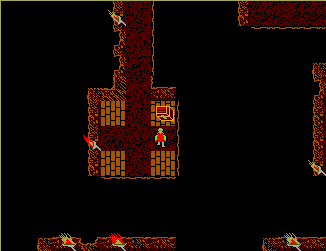
After the game loads, you will see a viewport where the Guildmaster has
arrived. Everything happens in this viewport. Underneath is his statistics
and a quick-list of commands. The stats line contains the following:
LEV:1 HP:65 HM:65 EXP:0 MANA:15 AC:0 ATC:0 AMMO:0 GOLD:5
These are abbreviations for: Level, Hit Points, Hitpoints Maximum,
Experience, Mana Points, Armor Class, Attack Class, Amount of Ammo,
and Amount of Gold.
Level is an over-all indicator of how powerful you are. It also controls
how many hitpoints you have, as well as mana.
Hit points are your current energy. It will go down in combat, but can be
restored by sleeping (if you have food in your pack), or by magical means.
You can also restore a bit by eating. In the jungle dungeon area, you can
eat as much as you want from the trees. You will also find nourishing
berries in the game.
Hitmax is controlled by level. It shows the maximum hit points you can
have. This also can be modified by magical means, and will rise as your
level rises. You will discover early in the game how to move up levels.
Experience is an over-all measure of how much you have accomplished.
Mana is like hit points, but determines how much magical energy you
have for casting spells. It will go up when you rest to a maximum
determined by level, or can be adjusted with certain herbs you will find
in your quest. It will always restore to full when you sleep at an Inn.
Armor Class is a value from 0-15, with 15 the strongest. It determines
how much you will resist enemy blows, and is determined by what type of
helm, shield and armor you are wearing. Some people claim there is magical
armor, but most Arms Masters regard this as hogwash, since it supposedly
raises one's AC to 18.
Attack Class determines how powerful your current weapon is, and gives an
indication of how hard you will hit an enemy. Many variables in combat can
modify this somewhat.
Ammunition shows how many projectiles you have for a ranged weapon. These
are kept in a seperate quiver, and will not clutter your inventory pack.
Gold is how many gold pieces you have in your purse, also seperate from
the main inventory pack.
*** COMMANDS ***
The keyboard inputs are very intuitive and easy to use.
Please remember to keep NUM and CAPS lock ON. At every step of
every command, a display line will appear at the bottom of the screen
listing available options. We firmly believe the player should have it easy
with inputting commands, and save his problem solving for the quest!
The next game, Ultizurk III, has full mouse support. We feel,
however, that you will find our keyboard "hotkey" method in the current
game to be extremely intuitive and easy to use.
Movement is controlled with the KEYPAD arrow keys. For now, you can move
in four directions. In COMBAT, however, you can ATTACK in all eight, using
keys 7,9,1 and 3 as well as 4,6,8 and 2.
L-Look: When tapped, you'll see a red cursor. Move it with the same arrows
as for walking. The cursor will move all over the screen. Tap L again to get
a description of anything in the land.
Remember to LOOK in open chests, and BLOODSPLATS if you kill a monster.
Many neat items are found in this manner!
G-Get: When tapped, you'll be asked to enter a direction. Simply tap an
arrow keypad key. If you have room in your inventory, and are next to
the item, you'll pick it up and it will be in your inventory.
This is also true of getting things from open chests, cabinets, and other
containers, as well as any holes you might dig with your shovel.
T-Talk: This works just like get, but move next to a person beforehand.
You will enter talk mode and see a nice portrait of the person.
Ask his NAME or JOB, and BYE to exit. Tapping ENTER with no
input will work the same as BYE.
Many things will be seen in red highlight, and later in your quest
you'll find even more things that the people can talk about. Just type
what you see hilighted in RED, or any special topics you might learn
from others. NPC interaction is an important part of this game. For
example, all characters respond to NAME or JOB, but someone may say:
"Be sure to ask Hector about the GEM". (gem will be in red) - Later, if
you meet Hector, you could ask him about GEM even if it is not
highlighted in red. (Perhaps it's a secret clue or something!)
U-Use: This is the do it all command. You can open chests, close them,
open and close doors, sit on certain chairs, throw switches on and off,
pick fruit from trees and bushes, get bones from a skeleton, dig holes,
read books and scrolls, and even climb up glaciers! (With the right tool
readied.) Using items on land asks you to then enter a direction. In your
inventory, some items, like a watch or sextant, get used right away.
But if an item in your inventory needs to act upon something on the land,
you will be prompted. We made it easy to do! Just tap the direction of
what you want to USE it on when asked.
Items in hand, like a shovel, are used immediately, without needing
to open your pack. For example, if you have a SHOVEL armed in your hand
where you usually hold a weapon, you can USE the ground in front of you
to dig a hole, then LOOK inside! It's very realistic! The 'use' command
will always attempt to use what ever you have in hand. If nothing is in
your hand, it means bare hands. See inventory about putting things on.
A-Attack: Weapon readied in hand, you approach a monster, or he
you. Hit A for Attack. You'll see a printout on the screen bottom as to what
you are attacking with. Just tap in a direction of which way you're
attacking, and whamo! Your Guildmasterly senses will also detect how many
hit points the monster has. Remember, you can attack in all eight directions,
and there are also some ranged weapons. (Just tap in the direction of the
distant monster.) And don't forget that these monsters fight back! If the
screen flashes red, it means you're going critical, so move away quick!
I-Inventory Control:
When tapped, your inventory will open, graphically displaying your items.
A little pointer will appear, which looks much like a professor at a school
would use. Again using the arrow keypad, move it around. You will also see
a new list of options appear at the screen bottom. Move the rod over an
item to select it. The SELECTED item is what the following commands will
act upon. You'll see this list when in inventory:
L-Look: Describes the item currently pointed to.
U-Uses the item. (Watches, sextants, keys, read book, etc.)
D-Drops the item. Get near any open chest. (Baldwin doesn't like
to litter!) You'll need to be east, west, north
or south of the chest to drop things, and the
chest must be empty. I guess Lord Baldwin could
only afford small chests! <G>
P-Put on items -- When selected, you'll be asked Helm, Shield
Weapon, Armor. Just tap in the first letter.
If you already have something there being
worn, the items will automatically switch
places. Really! Remember, the item going ON
is the one over which you currently have the
cursor. Use this to 'arm' shovels, etc, too.
An item like a shovel will go in the weapon
hand so select 'W'.
T-Take off armor -Like above, but will remove the item as long
as there's a blank spot in your backpack. Since
items switch automatically if something is
already worn, you don't really need this,
but it's nice to have anyway. After all, you
won't want to be wearing 100 pounds of armor
while visiting the girls of level six!
ESC -Key -Close your backpack.
*** OTHER COMMANDS ***
S-Savegame: Saves your current game progress.
R-Restore : Restores a previous savegame.
This will happen automatically whenever you begin play with
(Q)uest Onward from the menu screen when you begin a play session,
if you have a saved game. Please don't (Q)uest onward without first
saving a game, or it'll crash and you'll need to start your quest over!
Y-Yell: You will learn many magic spells from Leomund. They are words
shouted in a deep, resonant voice, and will burn some mana. After you
tap Y for yell, just enter one of these words.
For a list of spells and their words, USE the spellbook that Leomund
will give you. Talking with Leomund you'll learn everything you need
to know about spells. You will also find that the herbalist on Level One
knows much about herbal magic. Magic is endless in this game! Remember,
LOOK and USE are two different things. If you L for LOOK at a book, it
will simply say you see a book. To READ the book means to USE it.
Q-Quit: When you are done adventuring, use this command to exit the game.
Be sure to save your current game first, as it does not automatically save.
*** ADDENDUM ***
NEW features in version 5.5:
-FULL save/load game feature. Fast!
-Detailed overhad map now available all the time!
-B for Blink command allows you to teleport to any level!
-Online help (this), when you type H.
-Improved prompts and highlighted commands for easier play.
With all these NEW features, and a FULLY functional game, one may ask,
why register $15? Well, since version 5.0 was released, the sequel,
ULTIZURK III: The Guildmaster's Quest has been completed! It is a game
of EPIC proportions that rivals in quality commercial greats like
Ultima 6, Savage Empire, and Martian Dreams. You will see two snapshots
from ULTIZURK III whenever you quit Underland.
The entire game "engine" has been completely re-designed in full 256
color VGA and mouse point and click interface. Party of characters,
beautiful protraits, and a scrolling system nearly SEVEN times faster
than Underland! The game uses a map of one MILLION tiles each rendered
in immpeccable detail. The realism is incredible. Literally dozens of
new features have been added, with an interface so easy and intuitive,
the readme.doc recommends to not bother to read it!
It is Dr. Dungeon's Masterpiece. It is YOURS for a registration of
only $15 dollars! But that's not all! The Mach Gryphon game creation
pack, designed for UZ3, is so advanced that part 2 was erected very
quickly. Part 2 continues the quest. For a registration of only $30
dollars you will have BOTH:
ULTIZURK III Part 1: The Guildmaster's Quest and
ULTIZURK III Part 2: The Mobius Mind
Each is a complete game unto itself.
That's $15 for Part 1 and $30 for both Part 1 and Part 2.
That's over FIFTEEN megabytes of spectacular adventure! You don't want
to miss it! Send your registrations to:
Robert J. Deutsch
1152 N. 14th St.
Allentown, PA
18102 If you have any questions regarding any of these games,
feel free to contact me at (610) 434-0723 Thank you, and enjoy your stay
in The Great Ultizurkian Underland. -Dr. Dungeon
**************************************************************************
**************************************************************************
*************************REGISTER TODAY!**********************************
**************************************************************************
**************************************************************************
**************************************************************************